Using the Chat Feature

Step 1

Open your plant’s overview page by clicking on the menu on the left. You can now open the chat for the desired machine by clicking on Chat.
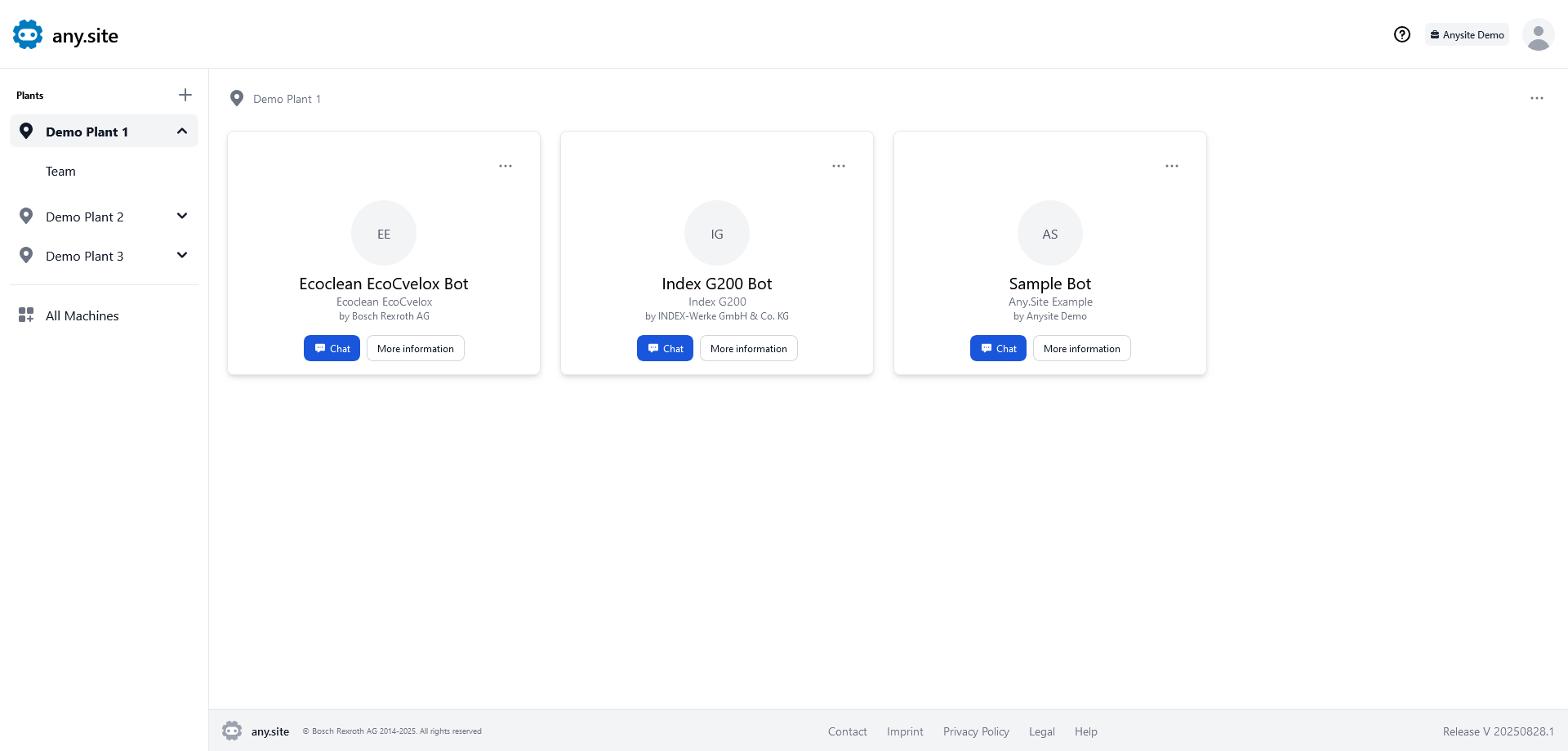
Plant Overview Page

Step 2

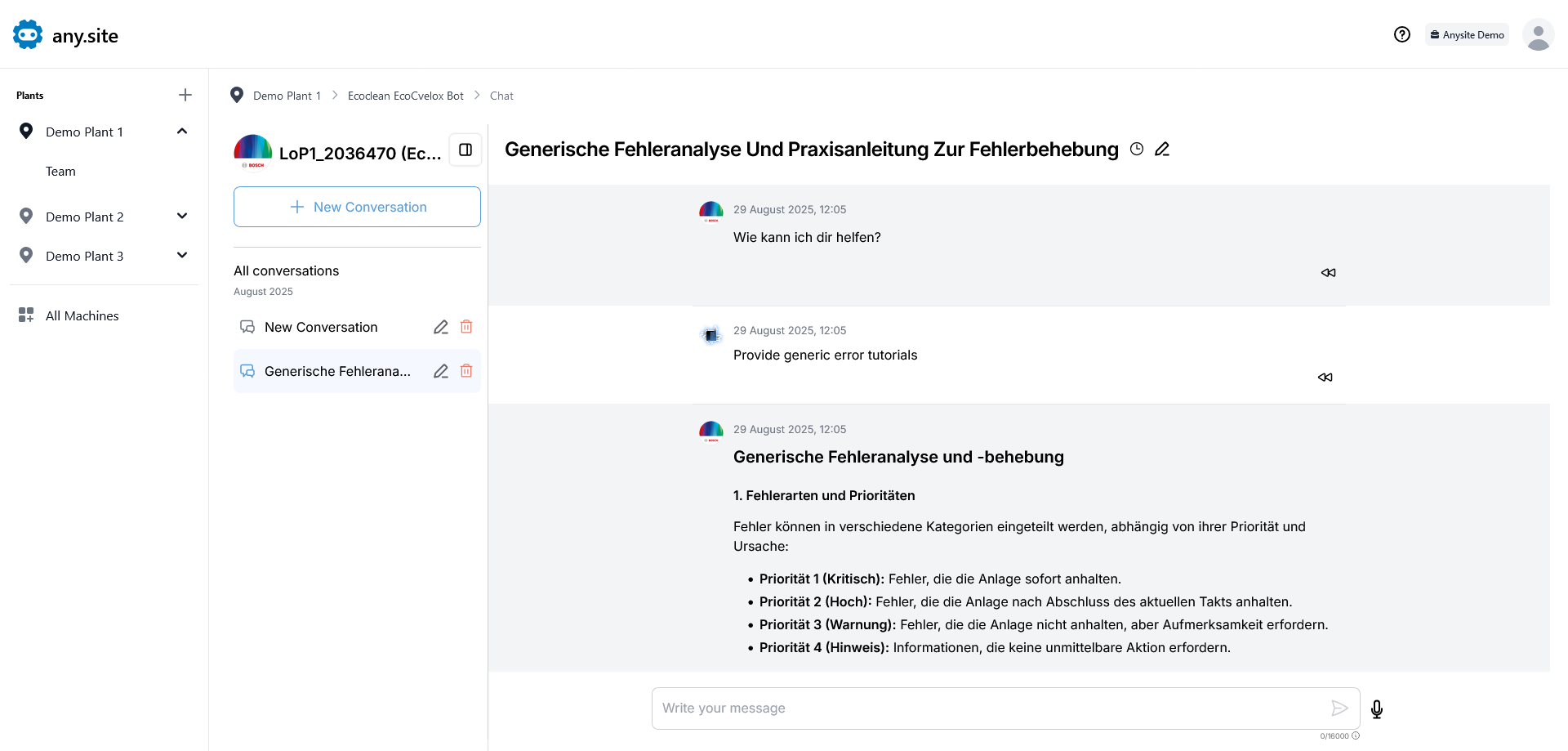
Once the chat has loaded, you can ask your question in the input field below and submit it by clicking Enter or clicking the arrow on the right.

Only you can see your chats. None of your colleagues have access.

Chat Window

Step 3

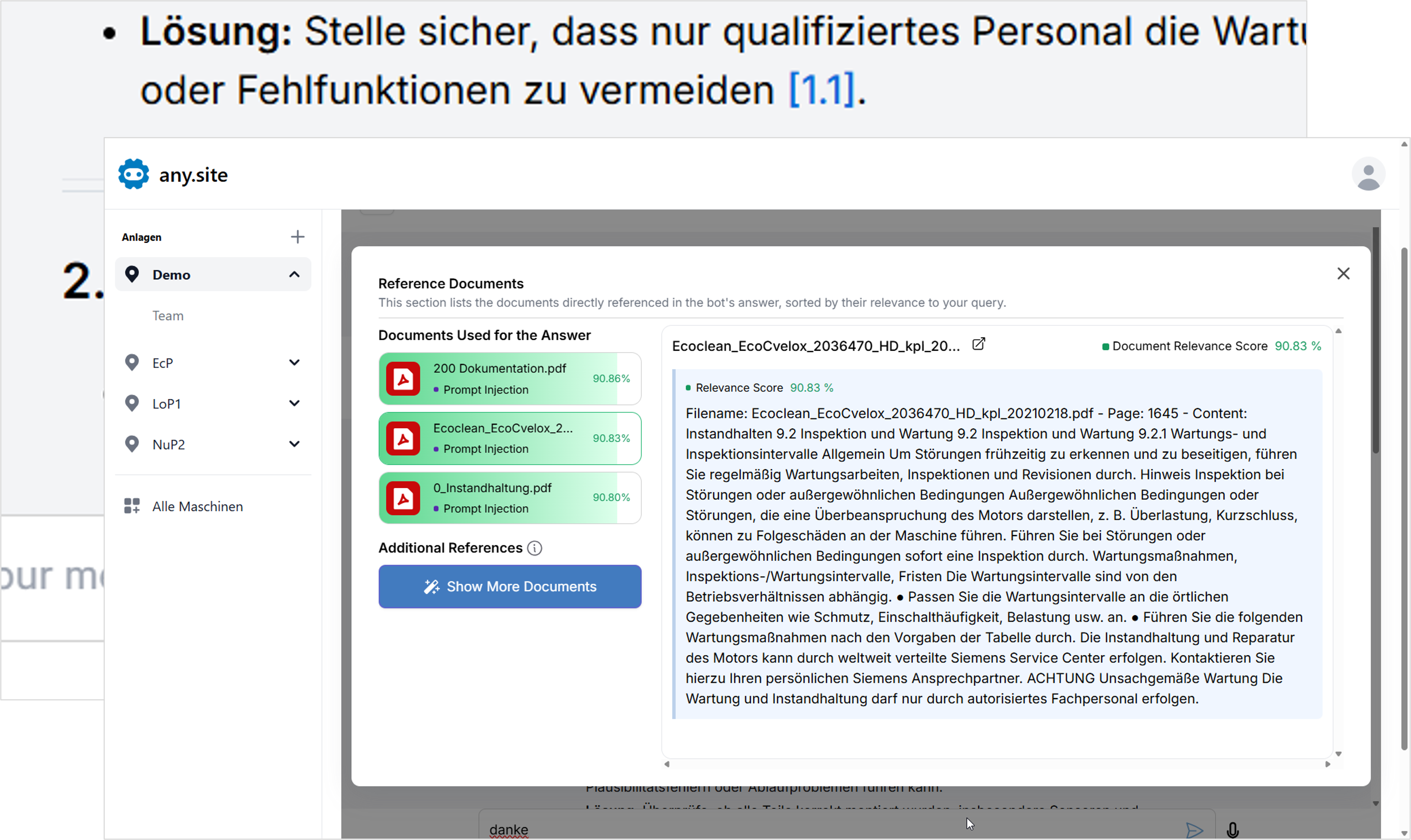
Click on the blue numbers in the answer text to find out which documents the answer was compiled from.

You can also display images, drawings or graphics in this way.

Answer with References