Managing Bots

Managing machines allows you to add, edit, or remove machines within your plants. Admins can manage machines, while members only have access to view them.

Add bot

Open All Machines by clicking on the left menu. You can now add the desired bot to your plant by clicking the plus sign in the top right corner of the tile.

Then select your own factory from the dropdown menu or click Create plant.
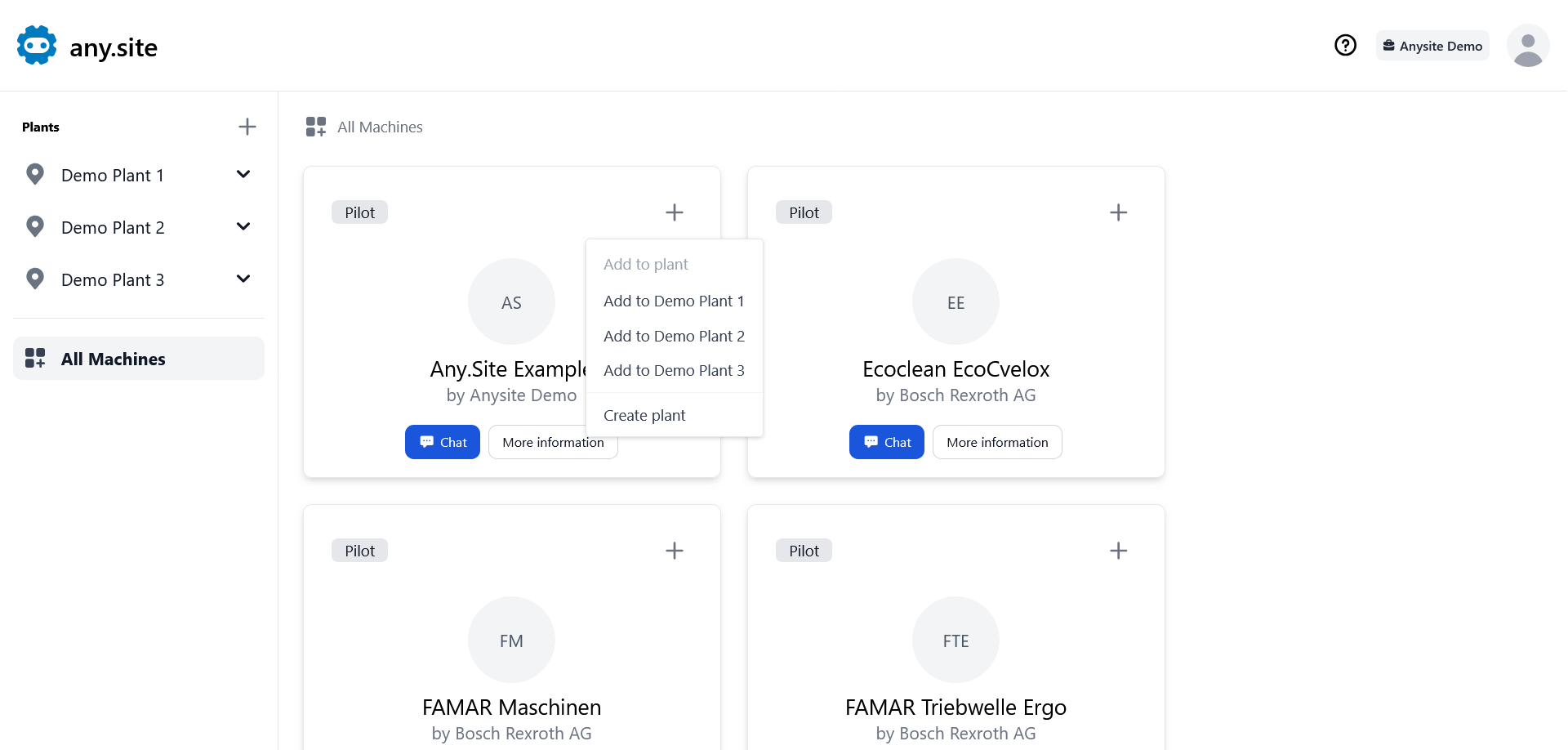
Add Machine

Edit bot

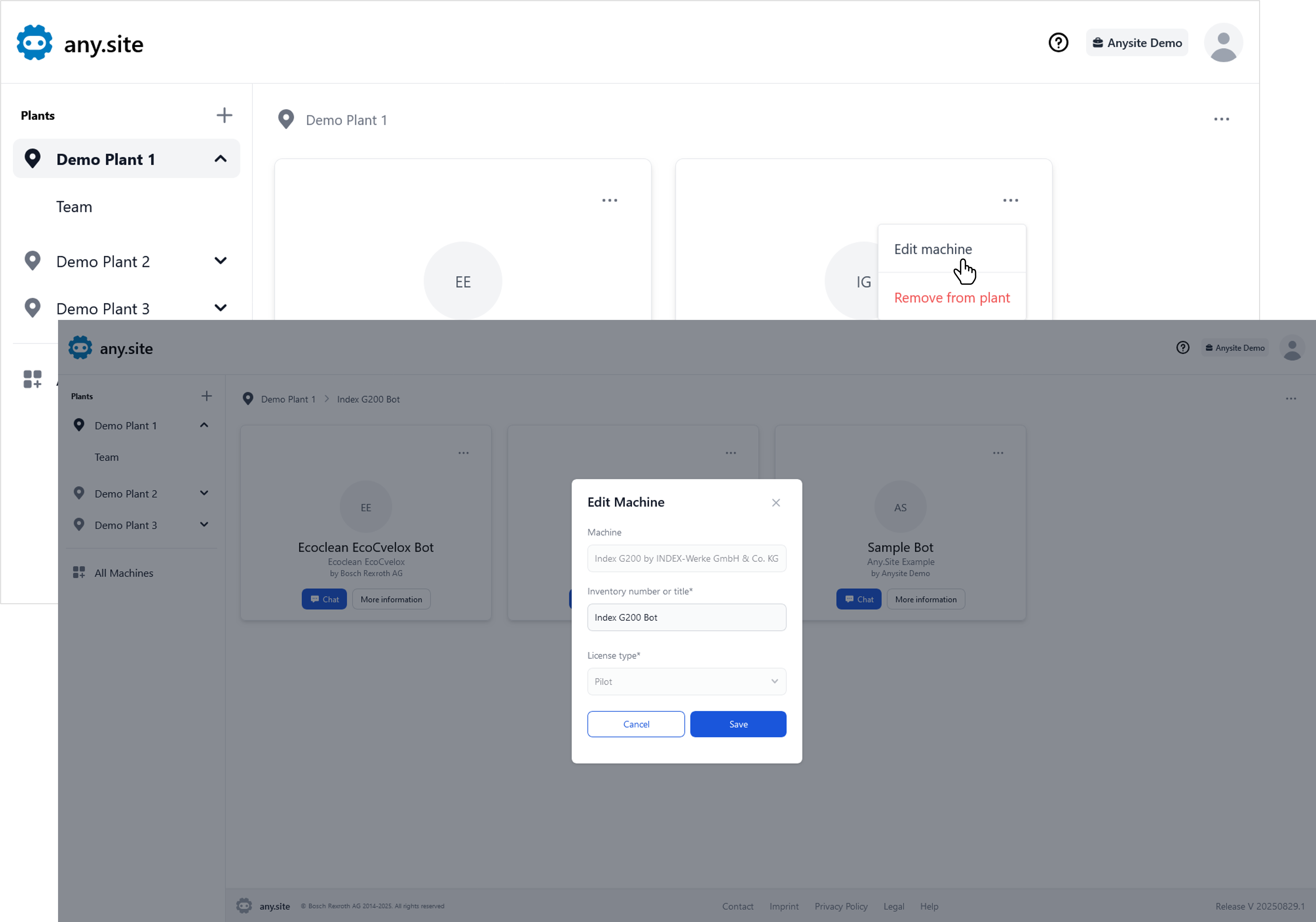
Open your plant’s overview by clicking on the menu on the left. You can now edit the title of the desired bot by first clicking on Options in the top right corner of the tile and then on Edit machine.

Enter the desired inventory number or title in the pop-up window and click Save.

Edit Machine

Remove bot

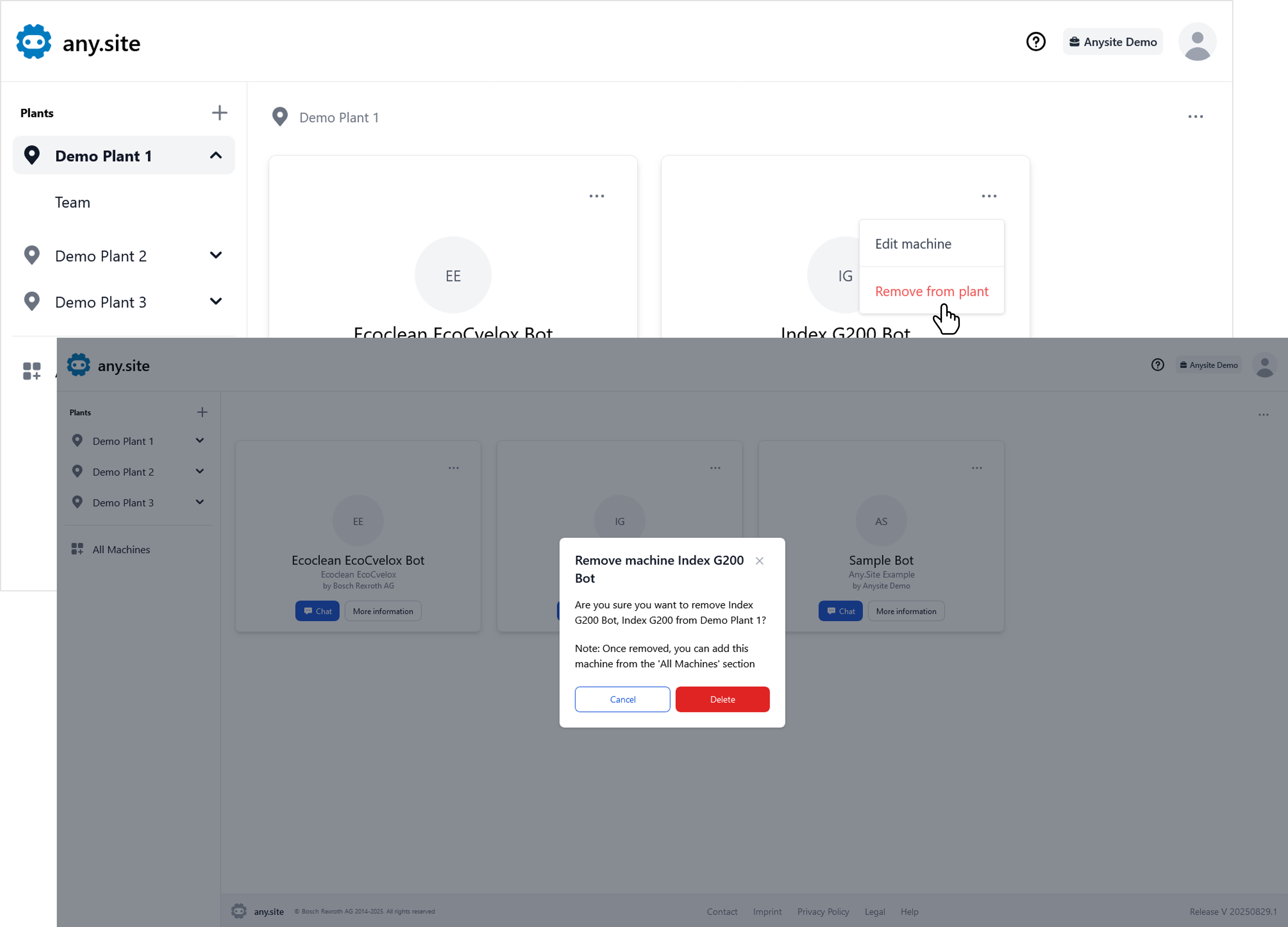
Open your plant’s overview by clicking on the menu on the left. You can now remove the desired bot by clicking on Options in the top right corner of the tile and then on Remove machine.

Confirm the action by clicking Delete in the pop-up window.

Remove Machine